Recreate any track in FL Studio, Ableton, MIDI, MusicXML or lead sheet PDF.
General Info
Upload an audio file and Jukeblocks splits it into stems, transcribes each one and gives you every part it hears on its own MIDI track.
Each track is loaded with the instrument that was detected, so a bassline arrives on a bass and a piano part arrives on a piano.
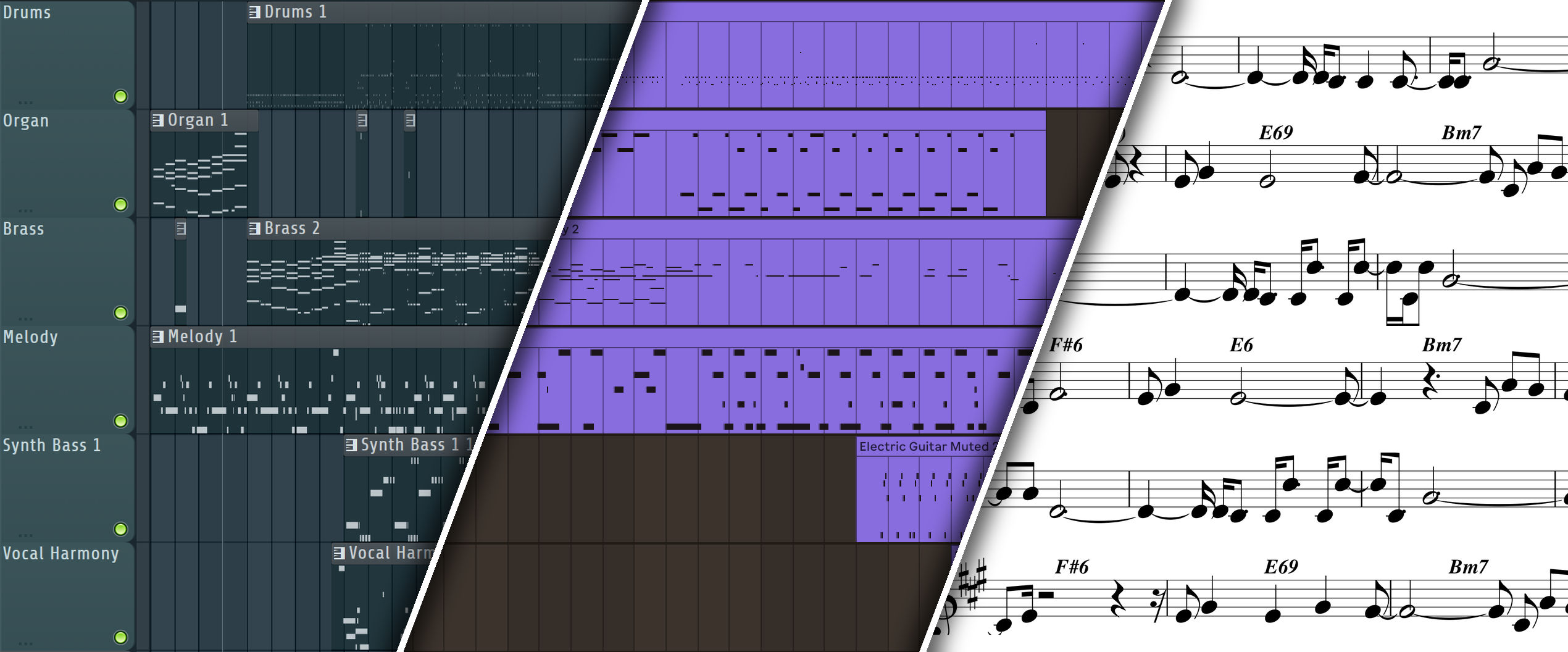
Pick your output in the dropdown: FL Studio, Ableton, MIDI + Stems, MusicXML or Lead Sheet (PDF). Only that format is exported, so choosing Ableton gives you an .als and nothing else.
FL Studio and Ableton come as a zip with the project and the raw MIDI transcription alongside it. MIDI + Stems is a zip with a MIDI file per part plus the separated audio. MusicXML and the lead sheet PDF download as a single file.
Songs can be up to 8 minutes long and 100MB. Each song costs 1 converter credit on every plan, and a failed job gives the credit back. Accuracy varies and depends on the source material: clear arrangements transcribe well, dense or heavily processed mixes less so.
What Can You Use It For?
Most transcription tools hand you a MIDI file. This one hands you a project, tempo detected and every part already on its own track with an instrument on it, so you start working instead of importing.
Re-playing a part on your own sound
The fastest way to use someone else's idea is to play it back through your own instruments. Every part arrives as editable notes, so you swap the detected instrument for whatever you actually want and the arrangement stays put. This is the difference between sampling a recording and re-recording the part.
Learning a track
Solo the bass to see exactly what is played, or the chords to see how the progression moves. Because it is notes and not audio, you can slow the project down without artefacts, loop two bars, or read the part in the piano roll while it plays.
Starting from a reference
Drop in the track you keep coming back to and you get its harmony, bassline and top line as a project you can pull apart. Keep the chord movement, throw away everything else, and you have a starting point rather than a blank timeline.
Getting an idea out of a recording
A voice memo, a phone recording of a jam or a rough take on one instrument all transcribe the same way. What went in as audio comes back as notes you can quantise, edit and orchestrate.
Tempo and Timing
The tempo is detected from the recording and the project is set to it, so the notes land on a grid that matches the song.
Notes are placed on that grid rather than at raw wall-clock times, which is what makes the result editable instead of a smear of off-grid events.
Material played to a click transcribes best. Live or rubato recordings drift against a fixed grid, so expect some manual nudging on anything that was never played to a metronome.
MIDI Tracks and Instruments
Every detected part becomes its own MIDI track, named after the instrument it was recognised as.
The instrument is chosen from the transcription itself rather than guessed from a track label, and it loads a General MIDI soundfont so the project makes sound the moment you open it, in either DAW, with no plugins to install.
Drums come through as a kit on their own track, with each drum on its own note.
Nothing is muted by default: what you hear when you press play is the transcription.
Transcription is an estimate, so treat every track as a starting point for an edit rather than an exact copy. Swapping the loaded instrument for your own is expected, not a workaround.
Including the Stems
For FL Studio and Ableton, open the settings next to the dropdown and tick Include Stems.
The separated audio of each part is then added to the project as its own audio track, with the transcribed MIDI muted underneath, so the project plays the real recording and you can unmute any part to hear its notes.
It is off by default because the stems make the download much larger.
MIDI + Stems always includes them, and MusicXML and the lead sheet PDF never do, so the settings are greyed out for those.
Sheet Music
Processing Time
Transcription runs on the server, so a full song takes a few minutes.
The job runs in the background: the progress bar tracks it and the download starts on its own when it is ready.